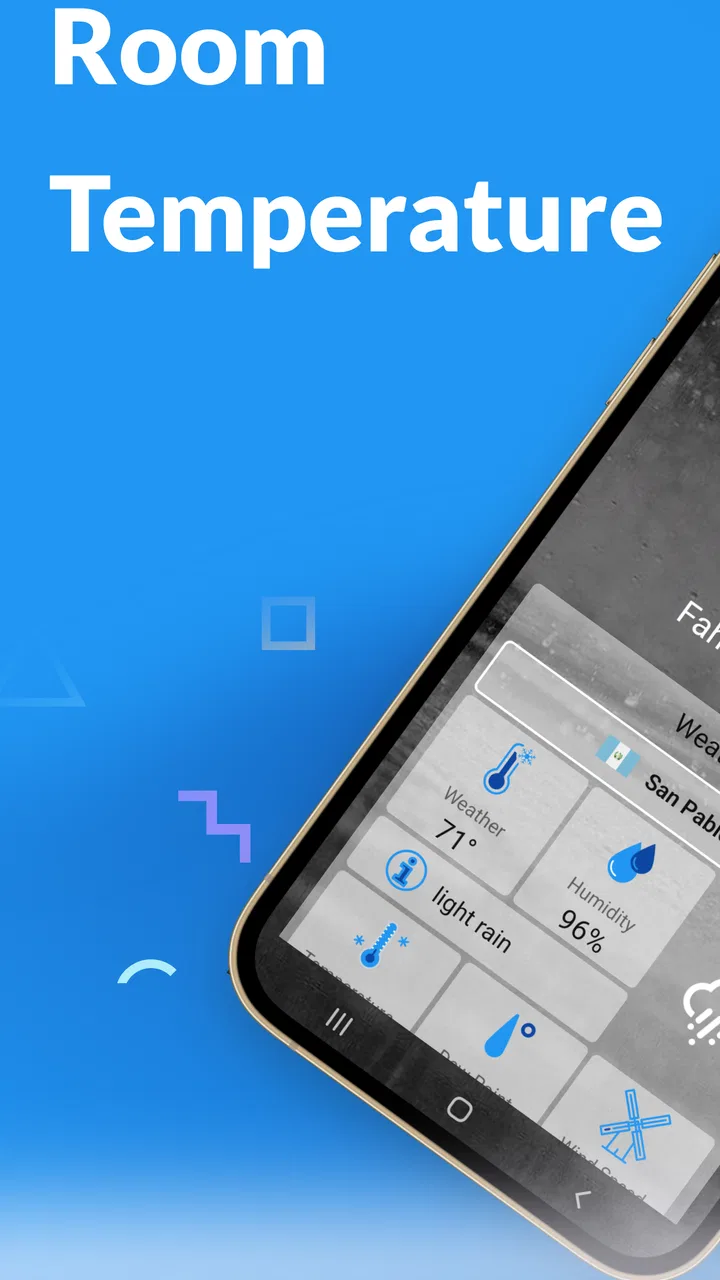
Room Temperature Thermometer
- 4.4
- Rating
- 5.00M
- Installs
- Free
- Price
 Analysis by App-foxy
Room Temperature Thermometer is a free weather app from Master Technologis that focuses on a very specific everyday question: how warm is the room around me right now? I found that narrow purpose more useful than the broad store summary might suggest, especially when I wanted a quick indoor reference without opening a full weather service. The app is rated Everyone, so it is approachable for a wide range of users, and its straightforward idea makes it easy to understand from the first launch.
My main recommendation is simple: use it as a convenient room-temperature guide, not as a replacement for a dedicated thermometer. That distinction shapes the whole experience. A phone can offer a quick estimate or reading depending on the device and the way the app works with it, but it is not automatically a precision instrument. Once I treated the result as a practical indication rather than laboratory equipment, the app made much more sense.
What the room-temperature capability is really useful for
The strongest part of Room Temperature Thermometer is its single-minded focus. Instead of making me sort through radar maps, forecasts, wind charts, and weather alerts, it aims at the indoor environment immediately around me. That is valuable when the question is not “Will it rain this afternoon?” but “Why does this room feel uncomfortable?” or “Is the nursery warmer than the rest of the house?”
You May Also Like

 Google Keep - Notes and lists
Google Keep’s Quiet Growth Shows the Appeal of Simpler Notes
As mobile work gets busier, Google Keep keeps winning a simple contest: capture a thought quickly, find it later, and get on with the day.

 Blood Strike: 2.5 Anniversary
Blood Strike’s Loadouts Turn Every Drop Into a Tactical Gamble
A close look at Blood Strike’s custom loadouts: how fast access to signature weapons reshapes its battle royale rhythm, rewards preparation, and narrows the gap between fights.

 Pandora - Music & Podcasts
Pandora’s Music Is Easy to Start, but Harder to Recover
Pandora’s strength is its low-effort path from a seed to a station. Its weak spot is how much confidence it asks you to place in connection, setup, and quiet recovery.

 8 Ball Pool
 Is Built on Rivalries, Rematches, and Routine
A close look at the rivalries, rematches, shared routines, and unanswered safety questions that turn a quick pool match into a persistent mobile community.

 Samsung Music
’s Quiet Strength Is Playing What You Already Own
Its reach comes less from spectacle than from dependable access to a personal library. That simplicity is both the app’s strongest retention engine and its ceiling.

 AccuWeather: Weather Radar
AccuWeather Review: A Quick, Clear Forecast for Everyday Decisions
For everyday plans, the best forecast is the one you can understand quickly. AccuWeather makes rain timing, radar, and local conditions easy to act on, with a few trade-offs.
More From Our News Desk



I especially like this kind of tool for quick checks before changing a heater, fan, or air conditioner. It can also help when comparing two rooms informally, such as a bedroom that feels stuffy and a hallway that feels noticeably cooler. The app gives that moment a concrete reference point, which is often more useful than relying only on how my skin perceives the temperature.
There is an important practical detail here: a phone is not the same thing as a wall-mounted room sensor. Internal components generate heat, the phone may have recently been charging, and the device may be inside a case or held in a warm hand. Those factors can influence any room-temperature result. For that reason, I would use the app to notice a general condition or a change over time, while using a proper thermometer when an exact reading matters.
The real strength is convenience, not precision. That makes the app a good fit for casual household checks, quick curiosity, and users who do not want to buy or install another device. It is less suitable for medical decisions, infant-safety decisions, scientific work, food storage, or any situation where a small temperature error could have meaningful consequences.
How I approach a reading
For a fairer result, I would avoid checking immediately after intensive phone use. Gaming, video calls, navigation, fast charging, and direct sunlight can all make the handset warmer than its surroundings. I would place it on a stable surface away from obvious heat sources and give it time to settle before treating the displayed value as representative of the room.
This is one of the most useful habits with this particular app because it prevents a common misunderstanding. If the phone is warm, the result may reflect the phone’s condition as much as the air around it. The app can still be helpful, but the quality of the check depends heavily on the setup. A quick glance while holding the phone is convenient; a short settling period is more sensible.
I also prefer to take readings in the same place when comparing changes. Moving from a desk beside a window to a shelf near a radiator makes the comparison less meaningful. Keeping the phone in one location gives the app a better chance to show whether the room itself is changing rather than simply showing the effect of a different spot.
Where it fits beside ordinary weather apps
Traditional weather apps are better when I need outdoor conditions, hourly forecasts, precipitation information, or travel planning. Room Temperature Thermometer has a different role. It addresses the immediate indoor environment, so it can complement a weather app rather than replace one.
Compared with a standalone digital thermometer, the phone-based approach is cheaper and easier to try because the app itself is free. The trade-off is confidence. A dedicated device is designed specifically to sense temperature and can remain in the room continuously, while a phone is a multipurpose device affected by use, placement, and heat from its own hardware.
Compared with a smart-home sensor, this app is also simpler. A sensor can be left in a fixed position and monitored as part of a larger setup, whereas the phone is available only when I open the app and check. That makes the app appealing for occasional checks, but not ideal for continuous monitoring, automatic heating control, or a detailed history of room conditions.
A realistic everyday scenario
Imagine waking up and finding the bedroom unusually warm. I might first open the app before adjusting the heater or opening a window. If the displayed result supports my impression, I have a useful starting point for deciding what to do. I could then move the phone to a cooler room and repeat the check using the same resting approach. The comparison would not be professional instrumentation, but it could reveal whether the discomfort is local to the bedroom or part of a wider indoor change.
Another practical situation is preparing a room for a child or an older family member. The app can encourage me to check the environment instead of guessing. However, I would not rely on it alone for a safety-sensitive decision. In that case, I would confirm the result with a dedicated thermometer because the consequence of an inaccurate reading is more important than the convenience of a phone app.
That balance is where I think the application works best. It helps turn a vague feeling into a quick observation, then tells me whether I should investigate further. It is not trying to become a complete home-monitoring system, and I would not judge it by that standard.
Small workflow improvements that make it more useful
My first tip is to establish a personal reference point. I would check the room when it feels comfortable, then remember the approximate result as a rough baseline. Later checks become more useful because I am comparing similar conditions rather than treating one isolated number as absolute truth.
My second tip is to separate “phone temperature” from “room temperature” in my mind. If the handset has been charging or running demanding software, I would wait before checking. This is a non-obvious but important trade-off: the app is easiest to use when the phone is already in my hand, yet that is also when the device may be least representative of the room.
My third tip is to use repeated checks when the result seems surprising. I would place the phone on a neutral surface, wait, check again, and compare the outcome with a basic physical thermometer if I have one. Repetition does not turn the app into a calibrated instrument, but it can expose a one-off result caused by handling or placement.
A fourth useful workflow is to use the app as a prompt for ventilation checks. If a room feels stale, I can note the indoor reading, open a window briefly, and check again after the air has had time to circulate. The result can help me understand whether the room is changing, although it should not be confused with a measurement of air quality, humidity, carbon dioxide, or ventilation performance.
What the app does well in daily use
The narrow design is its biggest usability advantage. I do not need to learn a complicated dashboard before getting value from it. Someone who only wants a room-temperature check can understand the purpose immediately, and the Everyone age rating supports that accessible positioning.
It is also a sensible option for people who do not want to spend money on a separate gadget. Because the app is free, trying it involves little commitment. That does not eliminate the need for sensible interpretation, but it lowers the barrier for a casual household experiment: install it, compare its indication with the room’s feel, and decide whether it is useful enough for your routine.
The app’s popularity also gives me some confidence that the concept appeals to a substantial audience. It has an average rating of 4.4 from around forty-four thousand ratings, with over five million installs. Those figures do not prove that every device will produce equally useful results, but they show that the simple room-check idea has found a broad audience.
Where the experience needs caution
The main limitation is inherent to the phone-based approach. Hardware differs between devices, and not every phone is designed to provide a dependable ambient-temperature reading. The result may therefore be more useful as an indication than as a certified measurement. I would not use it to decide whether medication, food, or a baby’s room is within a strict safety range.
Placement can also create friction. A phone near a window, radiator, lamp, laptop, or recently used charger is not measuring the same environment as a phone resting in the middle of the room. Even holding it tightly can change the conditions around the device. The app is quick, but getting a meaningful check requires a little discipline.
It is also not the right tool for users who need automatic records or constant alerts. If I wanted a temperature history, remote monitoring, or a sensor that stays in one position while I am away, I would choose dedicated hardware or a smart-home solution. Room Temperature Thermometer is better for deliberate, occasional checks than for unattended monitoring.
Another trade-off is that a simple app may encourage overconfidence. A clean number can look more authoritative than it deserves. I would pay attention to trends and differences rather than obsessing over a single decimal-level result. When the decision is important, I would verify it independently.
Version, compatibility, and who should install it
The current version is 41.0.0, and the app supports devices running Android 5.0 or later. That broad compatibility makes it accessible to people using older Android phones, not just recent models. Still, compatibility with the operating system is not the same as identical sensing capability across all hardware, so expectations should remain realistic.
I think the app is best for renters, students, families, and anyone who occasionally wonders whether a room is unusually hot or cold. It is also useful for people who want a no-cost first step before buying a thermometer. If you are curious about indoor conditions and comfortable treating the result as approximate, the low commitment makes sense.
I would skip it if you need certified accuracy, continuous tracking, automated climate control, or dependable readings for health and safety. In those cases, a dedicated thermometer is the better choice, even if it costs more and takes up space. The app cannot compensate for hardware that is not suited to precise ambient measurement.
My final view after using it
Room Temperature Thermometer succeeds when I use it for what it is: a convenient indoor temperature reference that helps me investigate comfort and notice broad changes. Its free price and focused purpose make it easy to recommend as a casual utility, particularly for someone who does not already own a thermometer.
I would explain the caveat before recommending it to a friend. Let the phone settle, keep its location consistent, avoid checking right after charging or heavy use, and treat unusual or important results as a reason to verify with proper equipment. Those habits make the experience more useful and prevent the most common mistake: assuming a phone-based estimate is automatically a precise room measurement.
Master Technologis has built an app around a small but familiar need, and that focus is its appeal. It will not replace a weather service, a smart sensor, or a dedicated thermometer. For a quick check of whether the room seems warmer or cooler than expected, though, it is a practical free option that earns its place on an Android phone when used with sensible expectations.
FAQs for Room Temperature Thermometer
01How accurate is the Room Temperature Thermometer app?
The accuracy of the Room Temperature Thermometer app depends on your device's built-in sensors, such as the ambient temperature sensor or battery temperature sensor. While the app provides a reasonably accurate reading, it may not match professional thermometers exactly. For best results, ensure your device is calibrated and placed in an open area away from direct heat sources.
02Does the app require an internet connection to function?
No, the Room Temperature Thermometer app does not require an internet connection for basic functionality. It primarily relies on your device's internal sensors to measure temperature. However, some features, like weather updates or additional data services, may require an internet connection to provide enhanced information.
03Is the Room Temperature Thermometer app compatible with all devices?
The app is compatible with most Android and iOS devices that have the necessary sensors to detect temperature changes. However, older devices or those lacking specific sensors might not support the app’s full functionality. It’s advisable to check the app’s compatibility with your device model before downloading.
04Are there any privacy concerns when using the app?
The Room Temperature Thermometer app respects user privacy and typically does not collect personal data. However, it may request permissions to access location services for accurate weather updates. Always review the app’s privacy policy and permissions to ensure you’re comfortable with the data being accessed.
05Does the app consume a lot of battery power?
The app is designed to be efficient and should not significantly drain your device's battery. It only uses sensors when necessary and minimizes background activity. If you notice unusual battery consumption, check for updates or settings adjustments that might help optimize performance.
Pros
- Accurate temperature readings.
- User-friendly interface.
- Quick setup and installation.
- No external devices needed.
- Customizable alerts and notifications.
Cons
- Limited to indoor temperature only.
- Ads can be intrusive at times.
- Requires constant internet connection.
- Some features locked behind paywall.
- Occasional lag in temperature updates.

Room Temperature Thermometer
Gallery